
Ultra-Thin 21.5-Inch Flush-Mount Display

Ultra-Thin 21.5-Inch Flush-Mount Display

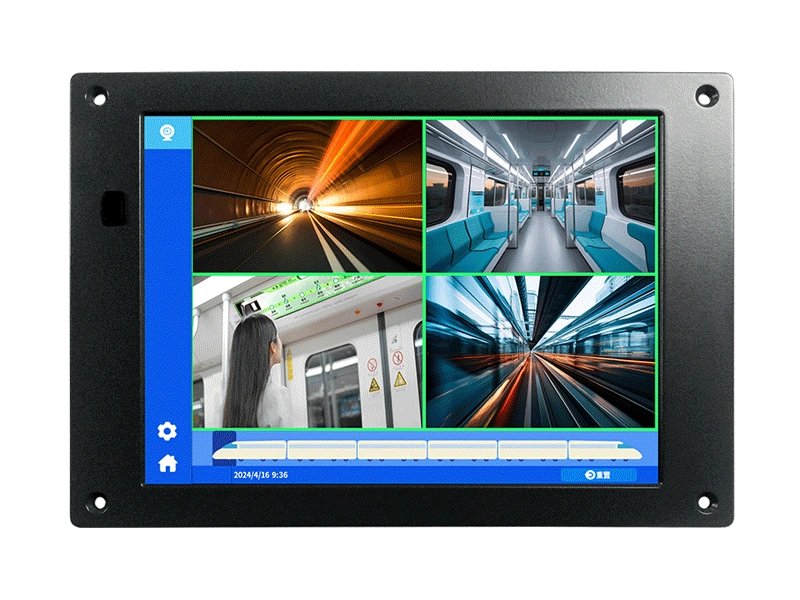
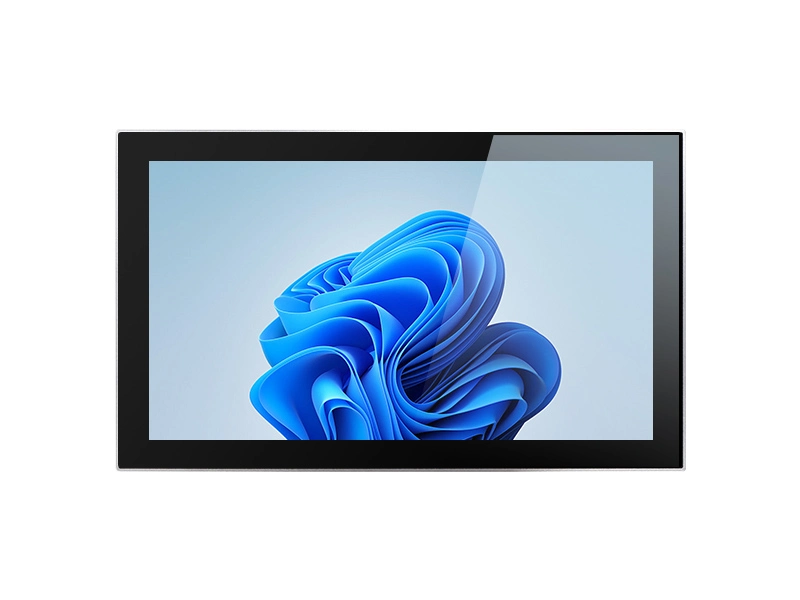
Every project arrives with a constraint already fixed — a punched door, a washdown routine, an arm position, a platform that has to look the same across four machine sizes. This guide starts from that constraint and routes it to a series, so you shortlist a unit that fits instead of one that almost fits. If the job needs an industrial touch screen monitor that sits flush in the door rather than standing proud of it, the 21.5-inch TPM-L9215 in the L9 ultra-thin series is the reference point: a milled aluminium-magnesium front panel, a fully laminated multi-touch capacitive screen, VGA/HDMI/DP input and front IP65 protection. If you are specifying an industrial display for a whole machine platform, the same L9 housing and touch design runs across the smaller panel sizes, so the mounting logic and the visual language stay consistent from one cabinet to the next.

21.5-inchFlush-mount panel
Front IP65Front panel rating
VGA / HDMI / DPSignal inputs
TPM-L9 Series Display-Ultra-thin Style

Start from the constraint, not from the catalogue

Four starting points cover most machine-door and cabinet enquiries. Each one pairs the physical problem with the answer it demands, the series to open first, and the single specification you should lock before anything else moves forward.

01

Fit an existing cutout

The problem
The door is already punched. A boxed monitor read through a cut window, or a bezel-heavy panel standing proud of the door, leaves a mismatch you have to live with for the life of the machine.
The physical answer
An ultra-thin chassis designed to sit flush in a machine door, console or control cabinet, using embedded mounting behind a milled aluminium-magnesium front panel that overlaps the cutout.
Series to start with
L9 ultra-thin — TPM-L9215 at 21.5 inches for a full-size operator interface, smaller L9 models where the door is compact.
Spec to lock first
Cutout width × height for the exact model. Cutouts change with every screen size in the series, so take the figure from the datasheet before the door is punched.
02

Washdown front

The problem
The front gets wiped or sprayed as part of the cleaning routine, and liquid running down the door is a daily event rather than an accident.
The physical answer
A front panel that complies with IP65, carried on a milled aluminium-magnesium face, with a SGCC sheet-metal structure and grounded isolation protection behind it.
Series to start with
L9 ultra-thin — front IP65 is listed across the series.
Spec to lock first
What the rating actually covers. IP65 here applies to the front panel, so describe the cleaning chemicals, the spray direction and how the cabinet drains in the enquiry.
03

Arm-mounted HMI

The problem
There is no door to mount into. The operator interface has to hang from a cantilever or swing arm and swing to wherever the operator is standing.
The physical answer
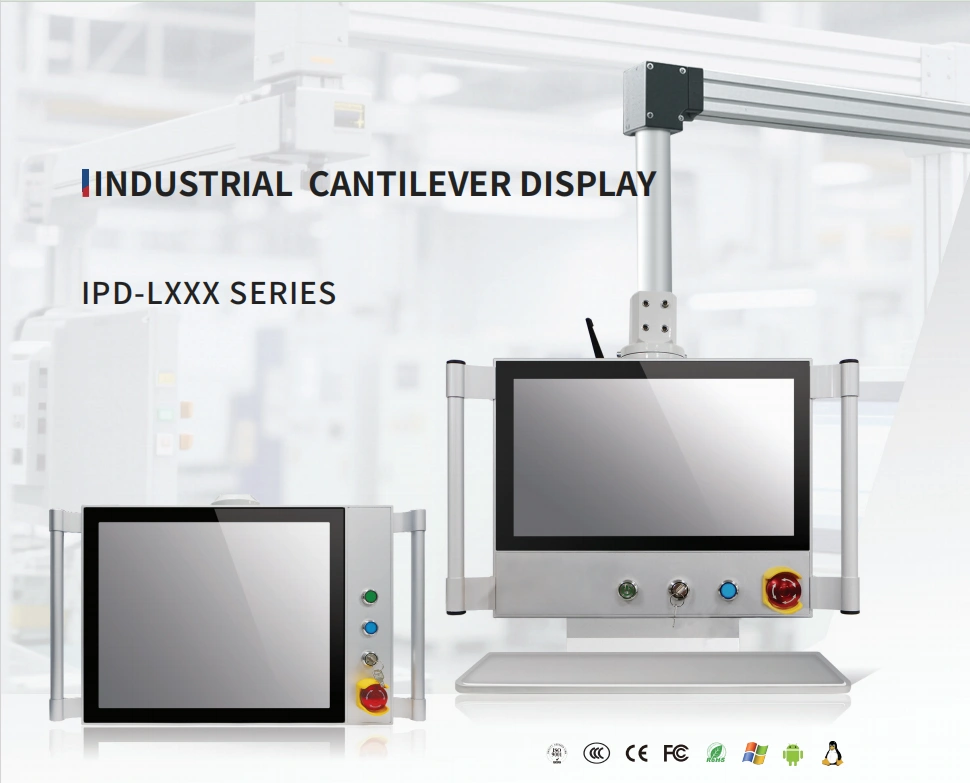
Rear VESA mounting on the L9 platform, or a dedicated cantilever display where the arm and the screen are supplied as one assembly.
Series to start with
L9 for VESA fixing, or the IPD-L Series Industrial Cantilever Display where the arm is part of the package.
Spec to lock first
Arm reach, load and cable route — plus the chassis depth at the point where the arm folds back against the machine.
04

One platform, many sizes

The problem
Four machines of different sizes each need an operator interface, but commissioning, spares and operator training should not multiply by four.
The physical answer
The same L9 housing and touch design running across the smaller panel sizes, so the mounting logic and the visual language stay identical.
Series to start with
L9 — from the 10.1-inch model up to the 21.5-inch unit in the same family.
Spec to lock first
Which sizes in the series cover your range, and whether brightness and resolution at the small end still suit the application.

L9 series at a glance: what is shared and what changes by size

Everything in the first block below is stated once for the whole L9 platform, so you do not need to re-check it model by model. The table underneath is where the real differences sit — display, chassis and cutout dimensions.

MountingEmbedded & VESA mounting
TouchMulti-touch capacitive, G+G, USB controller
Front protectionFront panel complies with IP65
Display inputVGA & HDMI & DP
Operating systemWindows 7 / 8 / 10, Linux
Optical & response7H hardness, >85% transmittance, <5 ms
HousingAluminium milled panel + SGCC sheet metal
EMCCE / FCC Class B
Environment−20~60 °C working, 10–90% RH
Model Screen Resolution Brightness / contrast Cutout (W × H) Chassis (W × H × D) Power
TPM-L9215 21.5" Confirm from datasheet Confirm from datasheet Confirm from datasheet Ultra-thin body — confirm from datasheet Confirm from datasheet
TPM-L9101 10.1" WXGA TFT 1280 × 800 500 cd/m² · 1300:1 248 × 166 mm 262.3 × 180.9 × 18 mm DC 12 V · 4.5 W
TPM-L9104 10.4" XGA TFT 1024 × 768 550 cd/m² · 700:1 242 × 189 mm 257.1 × 204.3 × 18 mm DC 12 V · 5.4 W
TPM-L9116 11.6" Full HD TFT 1920 × 1080 350 cd/m² · 1000:1 287 × 177 mm 301.7 × 191.1 × 18 mm DC 12–24 V · 5.5 W
TPM-L9121 12.1" XGA TFT 1024 × 768 500 cd/m² · 1200:1 279 × 218 mm 295 × 233.6 × 18 mm DC 12 V · 5.8 W
TPM-L9133 Confirm from datasheet 324 × 210 mm 339 × 224.2 × 18 mm Confirm from datasheet
TPM-L9150 Confirm from datasheet 340 × 265 mm 356 × 280 × 18 mm Confirm from datasheet
TPM-L9156 Confirm from datasheet 374 × 224 mm 388.4 × 237.6 × 18 mm Confirm from datasheet
TPM-L9170 Confirm from datasheet 381 × 313 mm 391.7 × 323.9 × 18 mm Confirm from datasheet

Cells marked “Confirm from datasheet” are not published in the specification table for that model. Do not scale a cutout from a neighbouring size — the 21.5-inch figures in particular should be confirmed before any sheet metal is cut.

Mounting, cutout and the integration checklist

The mechanical decision and the electrical decision are made at the same meeting. Use these two lists together so the panel builder and the controls engineer are working from the same page.

Mounting and cutout reference

  • Embedded (flush) mounting — the chassis passes through the cutout and the front panel overlaps the door face. This is the configuration the L9 design is built for: machine doors, consoles and control cabinets.
  • VESA mounting — rear fixings for an arm, bracket or pedestal where there is no door to cut.
  • Cutout is model-specific — every size in the series has its own cutout and chassis dimensions, listed in the table above. Keep the door drawing tied to the exact model number.
  • Chassis depth — the published models in the series share an 18 mm chassis depth, which is what makes the flush fit possible behind a standard door.
  • Front protection — IP65 applies to the front panel of the installed unit; treat the rear and the cabinet interior as a separate protection question.

Integration checklist before you commit

  • Signal — VGA, HDMI and DP inputs are all provided; fix now which source the controller will supply and whether the cable run stays under the limit.
  • Touch — the touch controller uses a USB interface to the host; plan cable length and any hub in the cabinet.
  • Software — Windows 7, Windows 8, Windows 10 and Linux are supported operating systems.
  • Power — the published models run on DC 12 V, with DC 12–24 V on the 11.6-inch unit; confirm the 21.5-inch input from the datasheet.
  • Environment — −20~60 °C working, −20~70 °C storage, 10–90% relative humidity without condensation.
  • Ruggedness — 5~500 Hz at 1.5 G and 0.15 mm vibration, 10 G shock for 11 ms.
  • Compliance — CE / FCC Class B, with grounded isolation protection in the housing.

Send the constraint with the enquiry

A quote comes back usable when the constraint travels with it. Include these six points and the reply can be a pre-qualified recommendation rather than a second round of questions:

  • Panel size you need, or the cutout width × height already fixed in the door.
  • Mounting method — embedded flush in a door, VESA on an arm, or a standalone housing.
  • Environment — cleaning routine, humidity, ambient temperature at the machine.
  • Host platform — operating system, available signal output and USB for touch.
  • Quantity per machine and across the platform, plus any spares requirement.
  • Any customisation needed on cable length, branding, front panel or packaging for the build.

Related Reading

Three notes to help clarify product requirements before contacting the supplier.

What IP65 Means on an Industrial Monitor Front Panel

Front-panel IP65 seals the operator-facing side of a flush-mounted display, while dust and water reach the rear shell, connectors, and cabinet heat space by a separate path.

Read article

Capacitive and Resistive Touch Screens for Industrial Workstations

Glove type, multi-touch tasks, and cleaning routines decide whether an industrial workstation should use PCAP or resistive touch, and the difference comes from sensing principles rather than brand.

Read article

Full Lamination and Air Gaps in Industrial Touch Display Stacks

The layer between the touch glass and the LCD decides how much light reaches the operator and how the stack behaves under constant cabinet vibration.

Read article

Frequently Asked Questions

what is the 21.5-inch model?

TPM-L9215; the panel figures for it still have to be confirmed from the datasheet.

how deep is the chassis?

18 mm on the listed sizes.

how do I choose the right size?

By the cutout width and height for the room, taken from the cutout column in the size table.

what power do the listed sizes use?

DC 12 V, with 12–24 V on the 11.6-inch model, drawing about 4.5 to 5.8 W.

what must be confirmed before ordering?

The panel specification, the cutout dimensions and the interface you need.

what should I send with the enquiry?

Cutout dimensions, resolution and brightness requirements, interface and quantity.

Leave a message
Name
Email *
Message
Verification Code *
Click to verify